
Voice unavailable
Each spoken sentence is written inside the coaching engine (no AI), and then passed to an ML model (AI) to convert it to audio. This means the audio backend needs to start and be ready before starting a practice session.
Sometimes, the Start button might say VOICE UNAVAILABLE. You cannot start a practice until the audio backend has started. Open Settings and go to Audio: the error is shown there, next to the voice picker.
How GT Coach picks a voice
Section titled “How GT Coach picks a voice”On first launch the app benchmarks your machine and decides which audio backend is best for your hardware. Every time you select a different voice, this benchmark is performed again.
Enhanced voices sound more natural but need a faster PC; Standard voices run well on all hardware.
| Enhanced voices | Standard voices |
|---|---|
| Heart (Female) | Bella (Female) |
| Bella (Female) | Jasper (Male) |
| Nova (Female) | Luna (Female) |
| Adam (Male) | Bruno (Male) |
| Michael (Male) | Rosie (Female) |
| Hugo (Male) | |
| Kiki (Female) | |
| Leo (Male) |
On a PC that cannot run Enhanced voices, they show as (requires faster hardware) in the voice picker, and you can pick a Standard one.
Re-run voice setup
Section titled “Re-run voice setup”You can re-run the voice setup from scratch yourself. Open Settings, go to Help, and choose Clear caches. GT Coach asks you to confirm, deletes the downloaded voices and runs the whole setup again, with fresh downloads and a fresh benchmark. You stay signed in, and your other settings stay as they are. If Clear caches isn’t there, choose Help > Clear All Caches in the app’s menu, or on Windows right-click the top of the window.
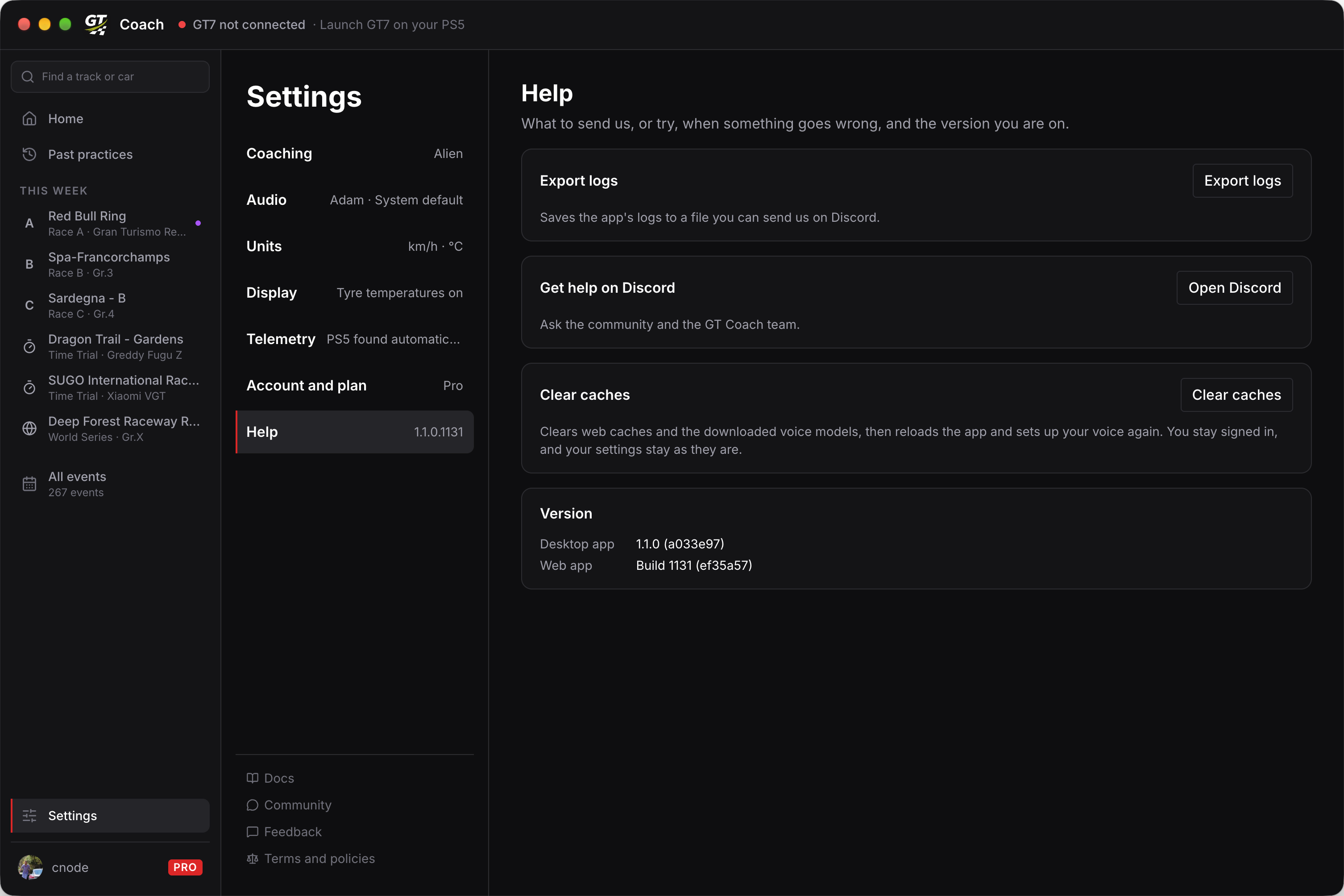
Use it when:
- a voice download was interrupted or corrupted and a voice keeps failing to load,
- you upgraded your PC and want the benchmark to take another look at Enhanced voices.
Windows is missing the Microsoft Visual C++ Redistributable, which the voice engine needs
Section titled “Windows is missing the Microsoft Visual C++ Redistributable, which the voice engine needs”Most PCs already have it, because some other app installed it along the way. When it is absent, every voice fails the same way until you install it.
Download it from Microsoft here. Run it, then restart GT Coach and pick a voice.
Still stuck?
Section titled “Still stuck?”If no voice will start after clearing caches, something’s not right! Join our Discord community and we’ll help you get unblocked. Bring your logs: open Settings, go to Help, and choose Export logs.